Visual settings : Add option to hide the price scale
On a 1080p screen, every pixel is important, and a lot of space is wasted by different things that aren't always useful.
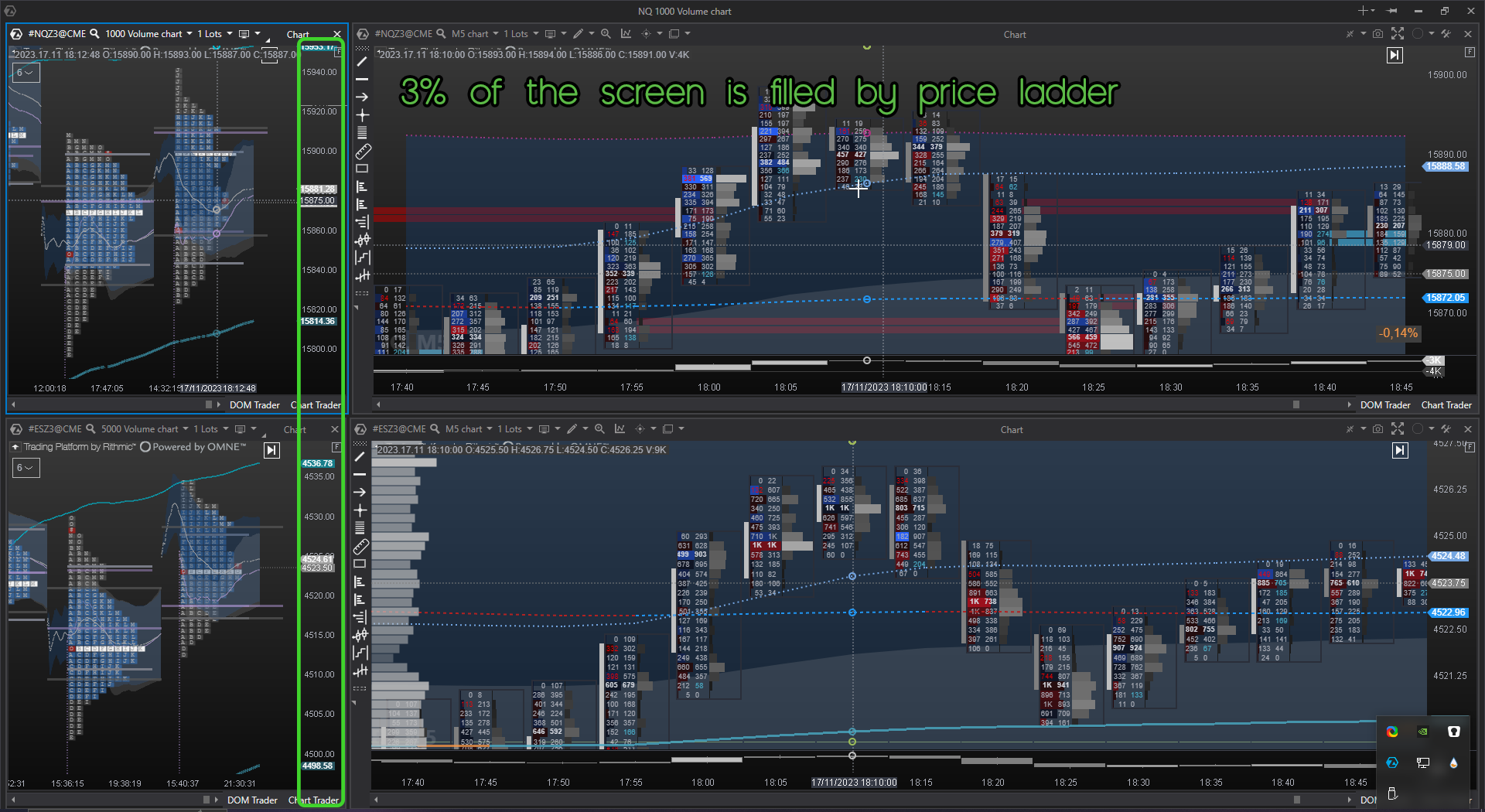
With the global crosshair, it's not necessary to have the price scale several times. The minimum width of the price with the minimum font size is 60 pixels.
If we can hide it, we save 3% space.
Log in to comment and vote
Comments3
Jean-Philippe
Nov 23, 2023
Yes, but the question is: does activating the dom trader just to hide the price scale increase processor and ram consumption?
Atas is memory-limited by its architecture
Danny
Nov 21, 2023
Yes, this used to be possible. It was replaced with the option to hide it in the Dom Trader settings....only when Dom Trader is active. This was a big mistake in my opinion and took away needed functionality. I hope they bring it back...I did ask support about this a while back and they said the devs are aware...not sure if they will bring it back though.
Veri
Nov 20, 2023
The option "Hide price scale" used to be in the chart visual settings but was removed recently for whatever reason.. it would be nice if this option could return.
For now I have found a workaround:
Turn on the "DOM trader" and enable "Hide chart's price axis" at the bottom of its settings.
Slide the DOM trader panel all the way to the right. Hide the "DOM trader" panel if you wish by right clicking the chart and clicking "hide panels". It would look like this: