Cleaner GUI
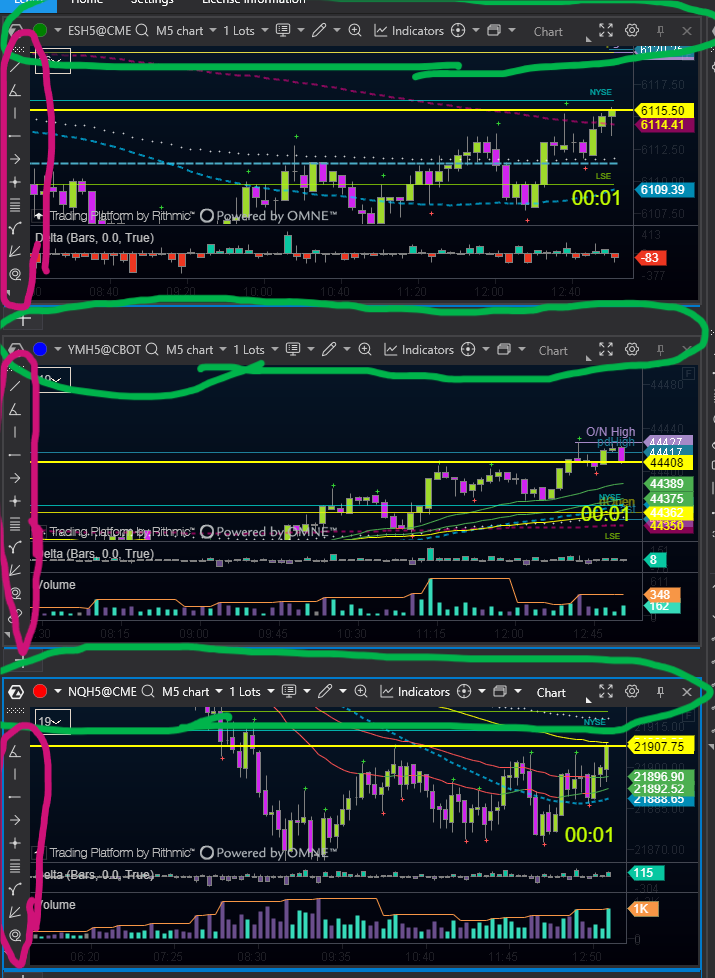
There is so much wasted space with each chart having its own “bezel” around it, for functions I rarely use. Every millimetre of screen space counts and as you can see, the toolbars are chewing up almost another chart’s worth of space for no reason. Can you include an option to hide these please? It’s a simple right-click to bring up options anyway. Perhaps they could be floating, to be moved elsewhere offscreen.. but my fellow traders and I agree, ATAS would be so much better if there was a function to switch these off and make everything neater. Thanks.
Log in to comment and vote
Comments2
Christoph
Feb 10, 2025
Very good post. Just add a “hide toolbar” button.
Ahmed
May 20, 2025
You can hide the toolbar from Drawing Objects menu in the top chart panel and click on drawing objects toolbar then the toolbar will be hidden, you can hide the bottom panel by right-clicking on the chart and choosing hide panel.
The only panel you can’t hide is the top panel which contains most of the options.