Auto-hide/disable burnt accounts (Balance = 0) from ADataFeeder/NT8 connection
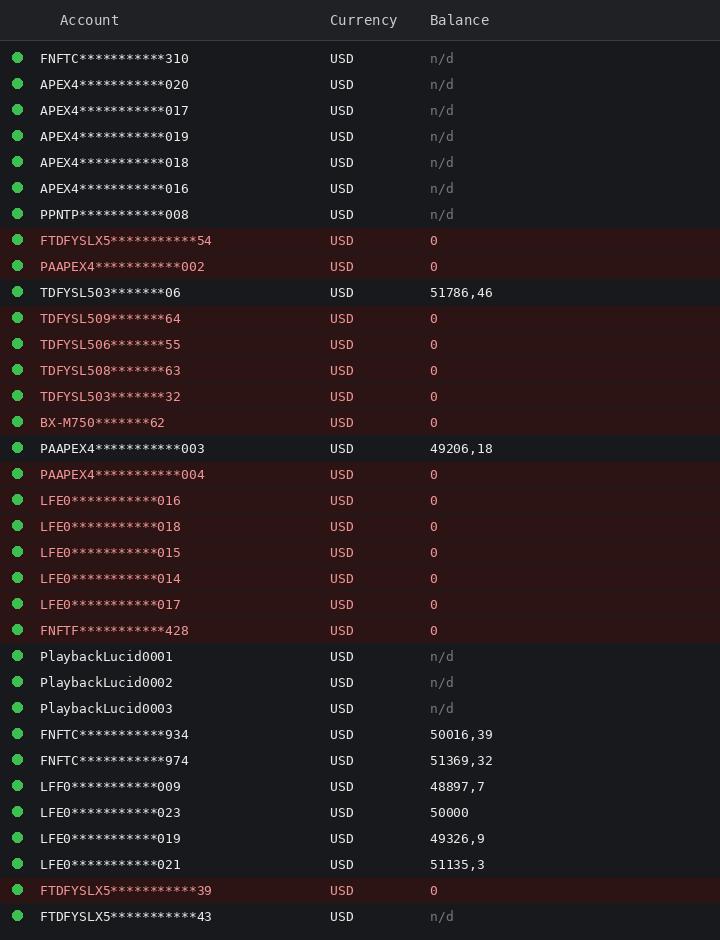
When connecting to NinjaTrader 8 via ADataFeeder, ATAS shows all linked accounts as "connected" (green dot) with no distinction between active and burnt/violated prop-firm accounts. Users with many prop-firm accounts (25+) have to manually check each one to find out which are still tradable.
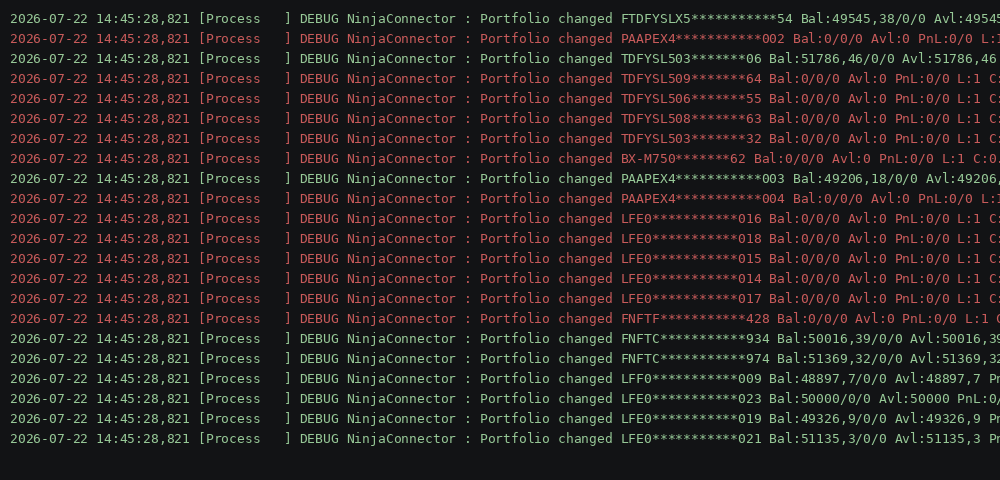
The NinjaConnector debug log already contains everything needed to detect this: every "Portfolio changed" event reports Bal/Avl. Burnt accounts consistently show:
Bal: 0/0/0, Avl: 0
while active accounts show a positive balance (e.g. 49545.38, 51786.46, 50016.39...).
NinjaTrader 8 already handles this correctly: accounts with Balance = 0 are automatically removed/disabled from the quick account-selection list. ATAS should replicate this behavior, since the data is already available through the same ADataFeeder connection.
Requested improvement:
Automatically detect accounts with Balance = 0 (and Available = 0) coming from the ADataFeeder/NT8 feed.
Hide/disable these accounts from the quick account picker, or visually flag them as "not operative / burnt".
Make this configurable (on/off) in the connection settings, for users who still want to see all accounts.
Minimum alternative: add a "Balance = 0" filter/column in the Accounts/Positions tables so these accounts can be quickly hidden.
Attached: a log excerpt and an account-panel mockup from NT8 showing the pattern (account numbers masked).
Log in to comment and vote
No comments yet
Be the first to share your thoughts.