Add left/right data "location" setting for "Proflie & TPO"
Add a “left or right” placement option for the “Profile and TPO” information, to be able to pin the data to the left or right of the chart window.
Currently the “Profile and TPO” data centered in the middle of the highlighted area that was selected, which can make the chart data difficult to read.
Image 1 - Example of the current “Profile and TPO”. The data is centered in the middle of the highlighted area, making the chart a bit more difficult to read.
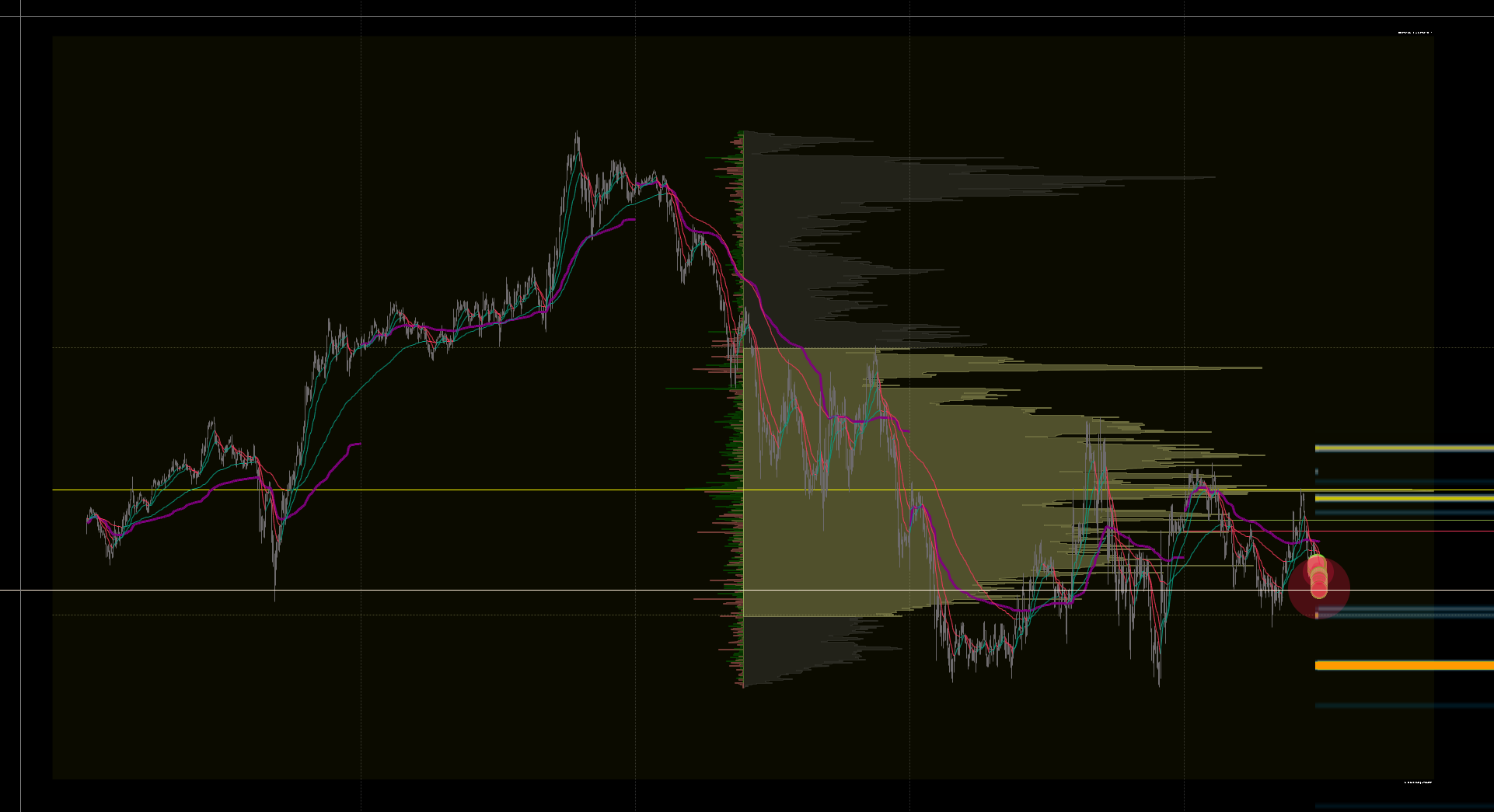
Image 2 - Example of how I would like to see the data when using “Profile & TPO”.
(This is an edited image using a rectangle box and “Fixed Profile and TPO” to visualize my suggestion.)
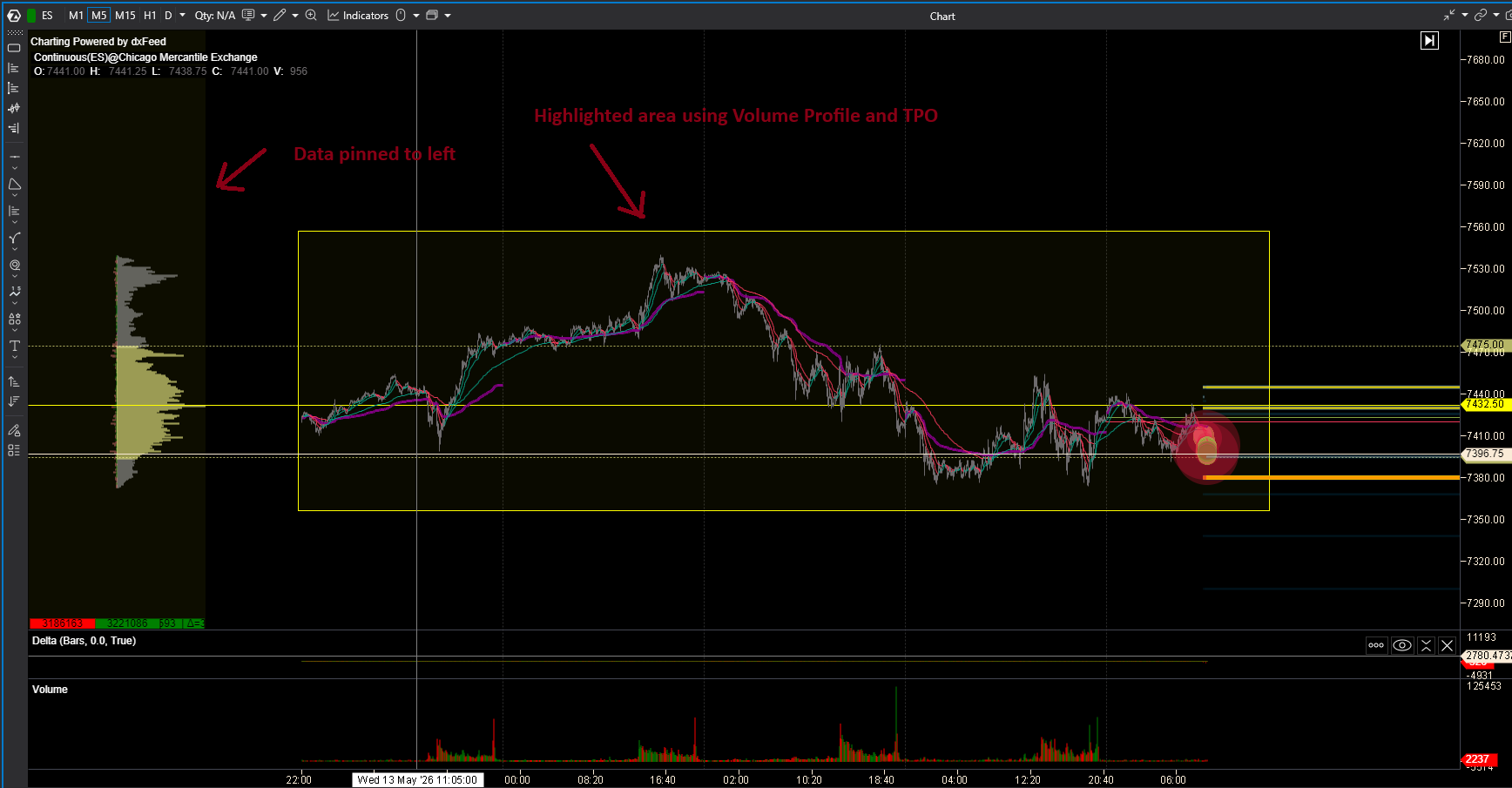
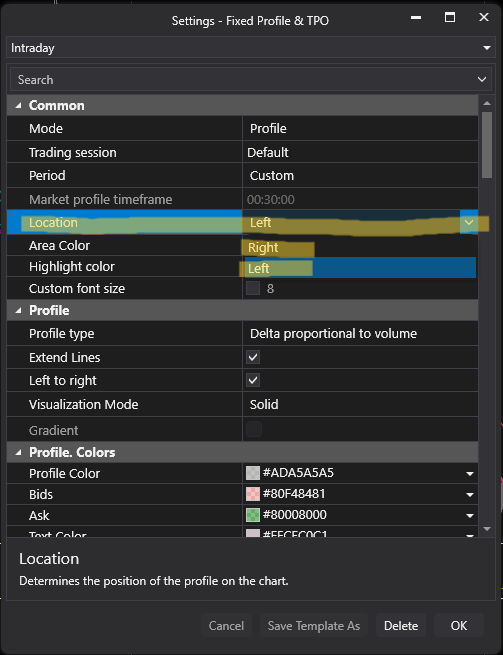
Image 3 - This setting is used in “Fixed Profile & TPO”. Highlighted in yellow for reference. I would like to add this setting to “Profile and TPO”. You can also put a none, or centered option as well, for the people that would rather have the data centered as it already is.
This request was merged into another request
No comments yet
Be the first to share your thoughts.