Add "Cluster mode" visual type to indicators
Suggestion to add a new visual type to the list that simply displays the indicator value as plain text.
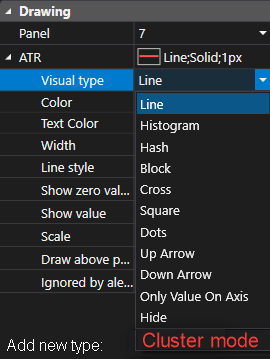
This already exists in the "OI Analyzer" indicator. When "Cluster mode" is enabled it displays the value, see screenshots below.
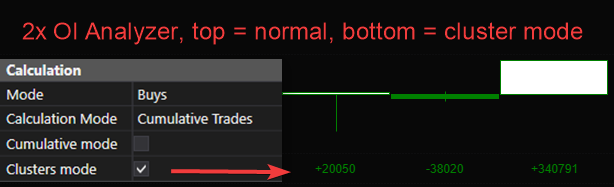
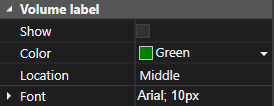
The displayed value should not be impacted by the scaling of other indicators that share the same Panel number. Instead add the same settings that are in the "Volume On The Chart" indicator allowing you to change the color, location and font. Also the option "Minimize volume values" , as you can see in the screenshot above minmized volume values are not applied to the OI Analyzer in Cluster mode though it is enabled in the chart settings.
Additionally also a "Draw above price" / "Show on top" option to make sure the displayed value does not get hidden behind other indicators in the same panel. Currently the OI Analyzer in Cluster mode always gets hidden behind other indicators in the same panel no matter the indicator order.
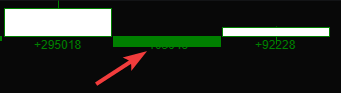
(not the best screenshot as both are colored green but it is actually behind it)
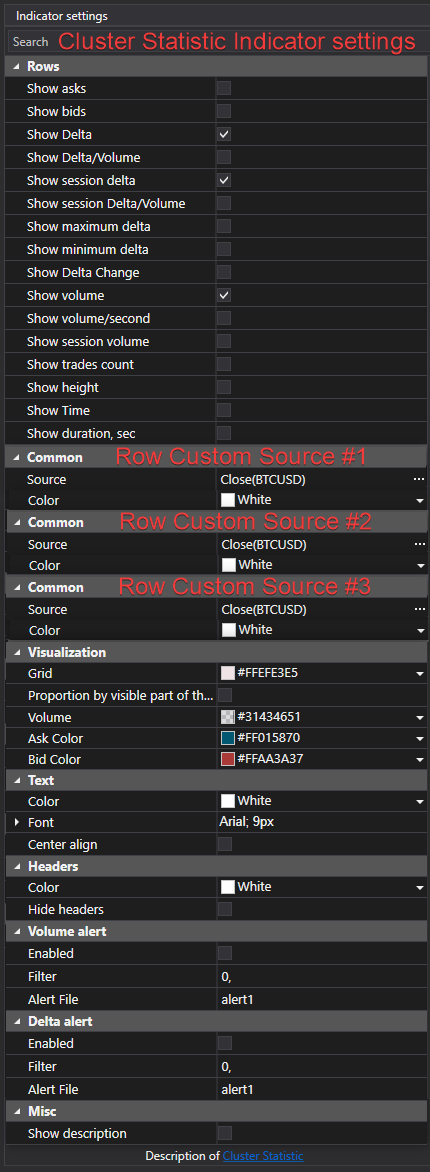
An alternative option instead of a Cluster mode visual type would be adding the ability to add a custom source row in the Cluster Statistics indicator. I think having both would give the most customization. Otherwise please refer to a Cluster mode visual type as the initial idea of this post.
Log in to comment and vote
No comments yet
Be the first to share your thoughts.